Grok Build is xAI's coding model: grok-build-0.1, detailed on its model card. Don't confuse it with the Grok Build CLI, xAI's coding harness that shares the name; this article is about the model. It is evolving fast, with each release a visible step up on real coding work, and at $1 per million input tokens and $2 per million output, it costs a fraction of frontier flagships like GPT-5.5 and Claude Fable 5.
A fast-improving model at a fraction of the price is exactly the kind of thing worth testing. But almost nobody wants to switch tools just to test a model. xAI's answer is its own Grok Build CLI; most developers would rather drop the model into the harness they already live in: Claude Code or Codex. And that is where the problem starts: neither of them can talk to xAI's API directly. The issue goes beyond API shape. Codex, for example, sends tool calls with built-in tool names and parameters that xAI's endpoint does not recognize, so the request fails before the model even sees your prompt.
Token Station sits between your coding agent and xAI, and closes the gap with four things:
- No card to start. Sign up free and top up when you're ready; the balance works with Grok Build. No card required, no subscription.
- No xAI account needed. You skip creating and then funding a separate xAI account; your one Token Station key covers it.
- Claude Code: API translation. Claude Code speaks Anthropic's Messages API. Token Station translates those requests into what xAI's endpoint expects, and translates the responses back.
- Codex: tool and parameter name translation. Codex's built-in tool calls use names and parameters xAI does not recognize. Token Station rewrites them in both directions so tool use actually works.
You get Grok Build running in Codex or Claude Code without patching anything yourself. This tutorial covers both setups. Total time: about two minutes each.
What you need
- A Token Station account (sign up free; no card required)
- Your Token Station API key (starts with
gw-) - Claude Code or Codex installed
Claude Code setup
Claude Code reads its configuration from environment variables. To route all model slots to Grok Build through Token Station, set these before launching:
# Token Station endpoint + auth
export ANTHROPIC_BASE_URL="https://models.bytefuture.ai"
export ANTHROPIC_AUTH_TOKEN="gw-YOUR_TOKEN_STATION_KEY"

# Route every Claude Code model slot to Grok Build
export ANTHROPIC_DEFAULT_OPUS_MODEL="xai/grok-build-0.1"
export ANTHROPIC_DEFAULT_SONNET_MODEL="xai/grok-build-0.1"
export ANTHROPIC_DEFAULT_HAIKU_MODEL="xai/grok-build-0.1"
export CLAUDE_CODE_SUBAGENT_MODEL="xai/grok-build-0.1"

# Launch
claude --model "xai/grok-build-0.1"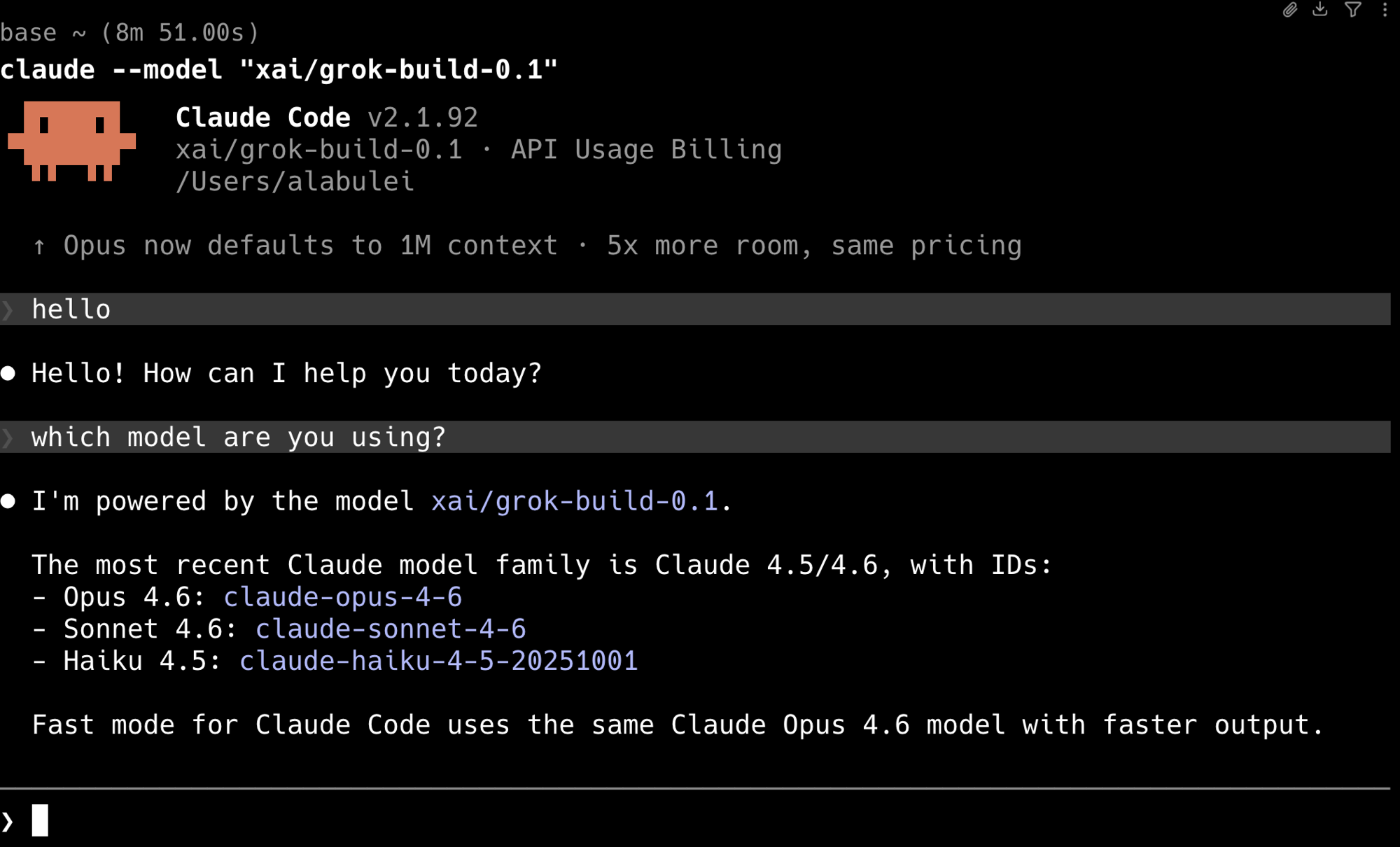
That is the entire setup. Claude Code will send every request through Token Station, which translates it for xAI's endpoint. Tool calls, streaming, and multi-turn conversations all work.
What the environment variables do
| Variable | Purpose |
|---|---|
ANTHROPIC_BASE_URL | Points Claude Code at Token Station instead of Anthropic's API |
ANTHROPIC_AUTH_TOKEN | Your Token Station API key |
ANTHROPIC_DEFAULT_OPUS_MODEL | Replaces the Opus model slot with Grok Build |
ANTHROPIC_DEFAULT_SONNET_MODEL | Replaces the Sonnet model slot with Grok Build |
ANTHROPIC_DEFAULT_HAIKU_MODEL | Replaces the Haiku model slot with Grok Build |
CLAUDE_CODE_SUBAGENT_MODEL | Routes subagent calls to Grok Build too |
You can mix and match. For example, keep Sonnet for the main model and only route subagents to Grok Build for cost savings.
Codex setup
Codex uses a TOML config file. Create it in two commands:
mkdir -p ~/.codex
cat > ~/.codex/config.toml <<'EOF'
model = "xai/grok-build-0.1"
model_provider = "token_station"

[model_providers.token_station]
name = "token_station"
base_url = "https://models.bytefuture.ai/v1"
env_key = "TOKEN_STATION_API_KEY"
wire_api = "responses"
EOF
Then set your API key and launch:
export TOKEN_STATION_API_KEY="gw-YOUR_TOKEN_STATION_KEY"
codex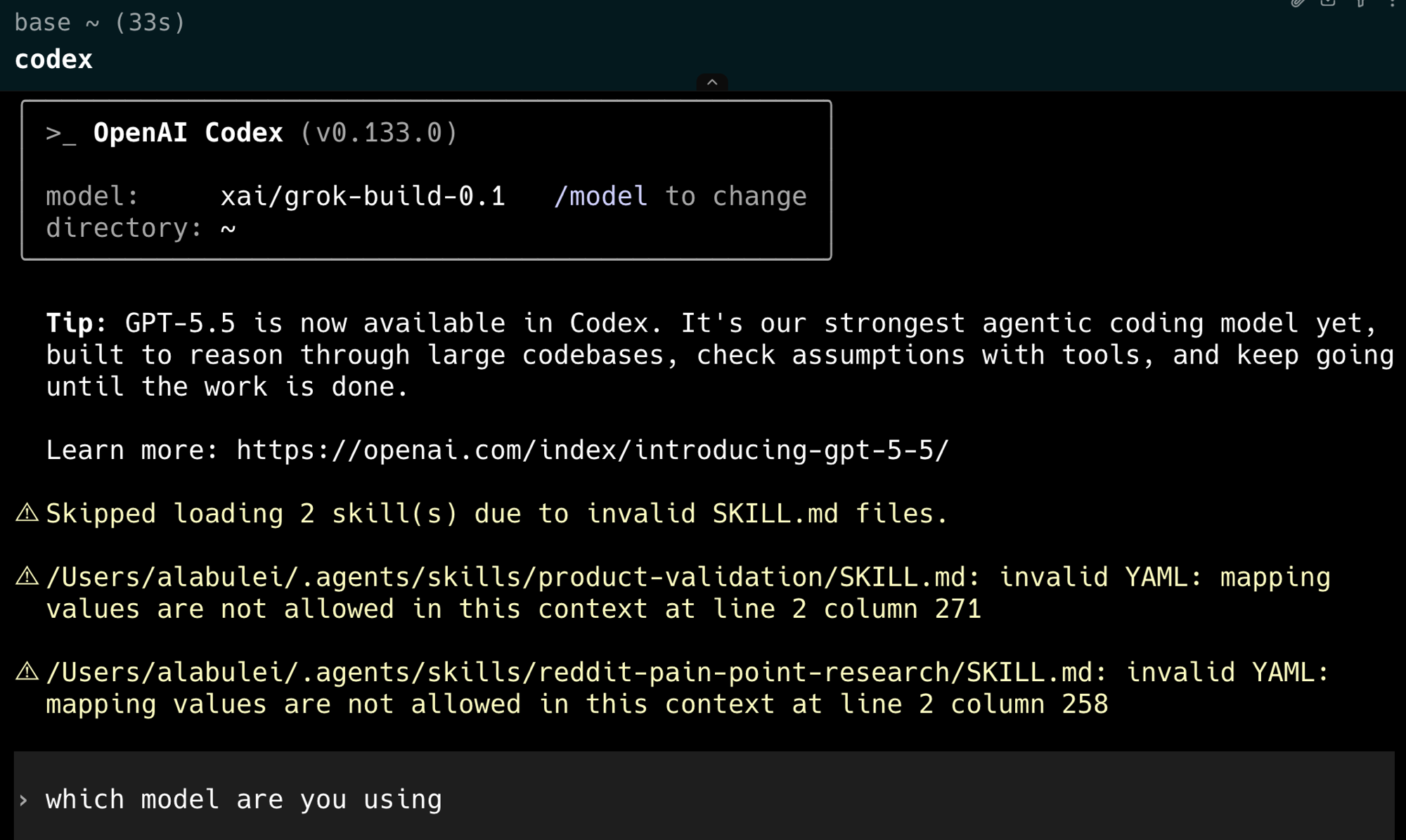
Codex will now use Grok Build for all requests. Token Station handles the API translation, including the tool and parameter name rewriting that would otherwise cause Codex to fail against xAI directly.
Why you need a gateway for this
You might wonder: why not just point Codex at xAI's API directly?
Two reasons:
- API shape mismatch. Claude Code speaks Anthropic's Messages API, and Codex sends requests in OpenAI's Responses API format. xAI's endpoint expects a different structure than either. Token Station translates both: requests in, responses out.
- Tool and parameter name translation. Codex sends built-in tool calls with names and parameters that xAI does not recognize. Token Station rewrites them so the model can actually use the tools. Without this, Codex tool calls fail silently or error out.
This is not a theoretical problem. Developers who try to connect Codex to Grok Build directly hit cryptic errors on the first tool call.
Try it
Sign up at models.bytefuture.ai. No card, no subscription, no xAI account to create or fund. Your first top-up adds up to $50 in bonus credit, and it works across every model on the platform, including Grok Build, GPT-5.5, Claude, Gemini, and 200+ others. Grok Build itself costs a fraction of the frontier flagships per token, so even a modest budget covers a lot of ground.
Two minutes of config. Then you are coding with Grok Build. And if Grok Build is not the right fit, the same balance works with every other model on the platform.